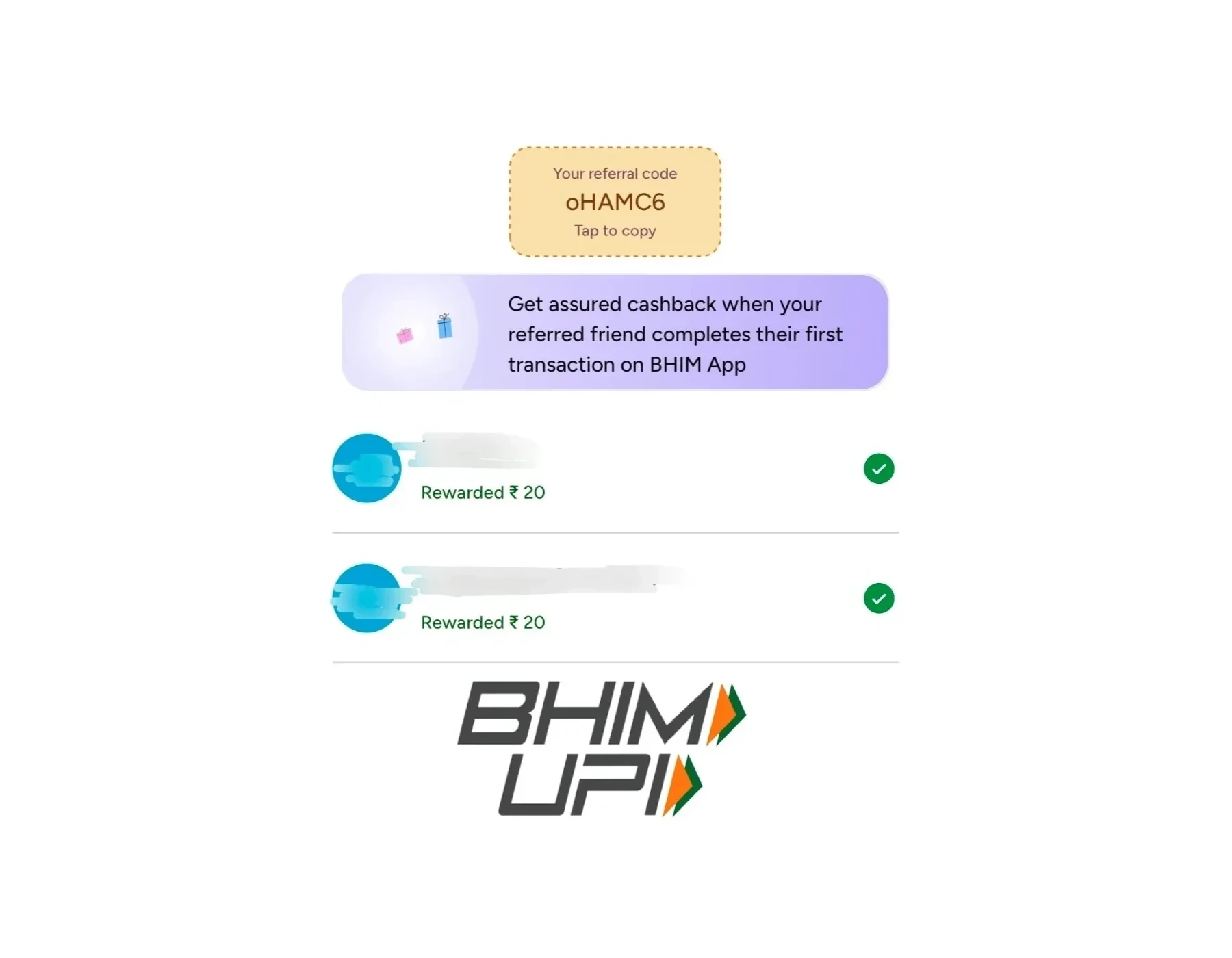
Refpo Article
BHIM Referral Code Not Working? Fixes Explained
BHIM Referral Code Not Working? Fixes Explained
BHIM is one of India's most trusted UPI payment apps, and many users join through referral codes to earn signup rewards or cashback benefits. However, a very common issue people face is the following:
“Why is my BHIM referral code not working?”
If your referral reward is not getting applied or the BHIM app is showing an invalid referral issue, don’t worry. In most cases, the problem happens because one important step was missed during signup.
This guide explains the most common reasons why BHIM referral codes fail and how you can fix them properly.
What Is a BHIM Referral Code?
A BHIM referral code is a unique invite code shared by an existing BHIM user. New users can enter this code while registering on the BHIM app to become eligible for referral rewards or cashback offers.
Usually:
- The existing user gets a reward
- The new user may also receive benefits after completing eligible transactions
However, BHIM referral rewards usually work only if the signup process is completed correctly.
Most Common Reasons Why BHIM Referral Code Is Not Working
1. Referral Code Was Not Entered During Signup
This is the biggest mistake.
Many users:
- click the referral link
- install the app
- complete registration
…but forget to manually enter the referral code.
For BHIM, the referral link alone may not always apply the reward automatically.
You usually need to:
Step 1. Copy the referral code
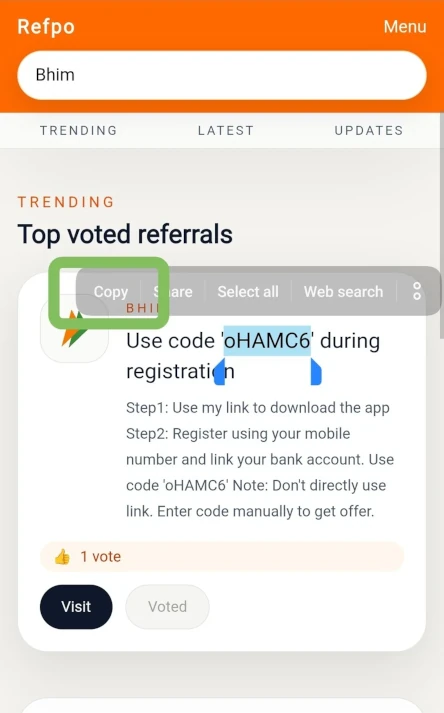
Step 2. Open the BHIM app
Step 3. Find the option:
- “Have a Referral Code”
- or similar referral section
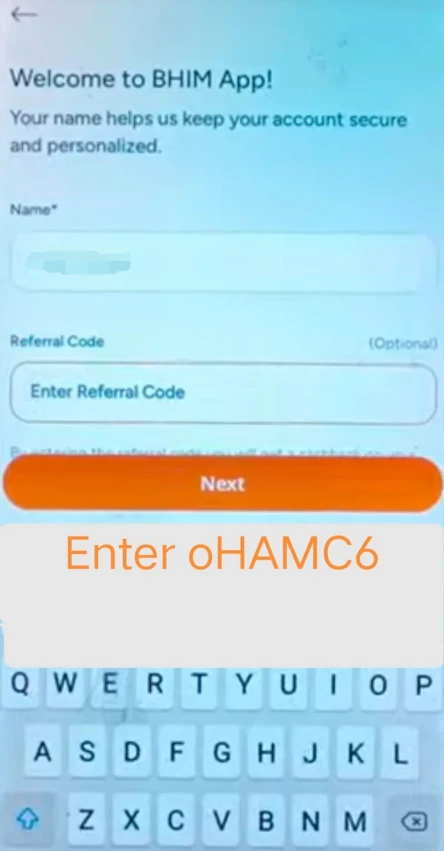
Step 4. Enter the code manually before completing signup
If this step is skipped, the referral benefit may not work.
2. App Was Not Opened Through the Referral Link
Some users:
- download BHIM directly from Play Store
- then register separately
This can sometimes break referral tracking.
Correct Method
Step 1. Open the referral page
Step 2. Click the Visit button
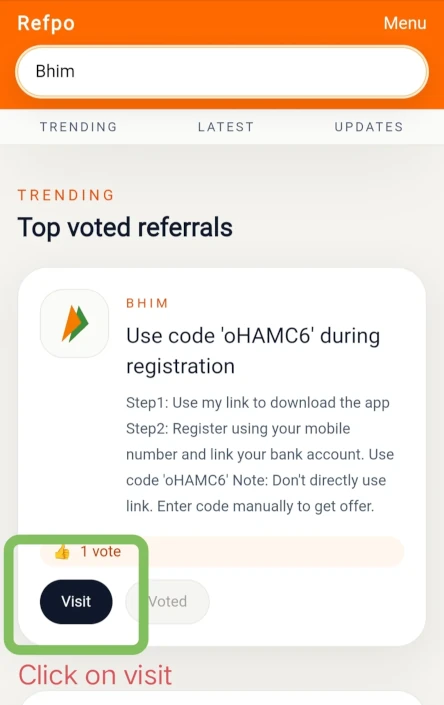
Step 3. Let the app or Play Store open from the referral link
Step 4. Install BHIM if needed
Step 5. Open the app again through the referral flow if possible
Step 6. Enter referral code manually
3. You Are Already an Existing BHIM User
Most referral rewards are meant only for:
- first-time users
- newly registered mobile numbers
If:
- your number was previously used on BHIM
- your bank account was already linked earlier
Then referral rewards may not apply.
4. SIM Verification Failed
BHIM uses mobile number verification for UPI registration.
Common issues:
- SIM not inserted
- wrong SIM selected
- SMS permission denied
- insufficient SMS balance
- dual SIM confusion
Fix
- Keep the bank-linked SIM in the device
- Enable SMS permission
- Make sure outgoing SMS works
- Select the correct SIM during registration
5. Bank Account Was Not Linked Properly
Referral eligibility may require:
- successful bank linking
- UPI setup completion
If your account setup remains incomplete, rewards may stay pending.
Fix
- Complete bank account linking
- Create UPI PIN
- Verify successful UPI activation
6. First UPI Transaction Was Not Completed
Some BHIM referral campaigns require:
- first successful UPI payment
- minimum transaction amount
- transaction within specific days
Without completing the required transaction, the reward may not be credited.
Example Eligible Transactions
- UPI payment to another user
- merchant payment
- QR payment
7. Referral Campaign Expired
Referral offers change frequently.
Sometimes:
- codes expire
- campaigns stop temporarily
- rewards reduce
- terms change
So even if the app accepts the code, rewards may not be available anymore.
Always verify the latest offer details inside the BHIM app.
Correct Way to Use a BHIM Referral Code
Follow these steps carefully:
Step 1
Open a trusted BHIM referral link.
Step 2
Click the Visit button.
Step 3
Install the BHIM app if it is not already installed.
Step 4
Open the app through the referral flow.
Step 5
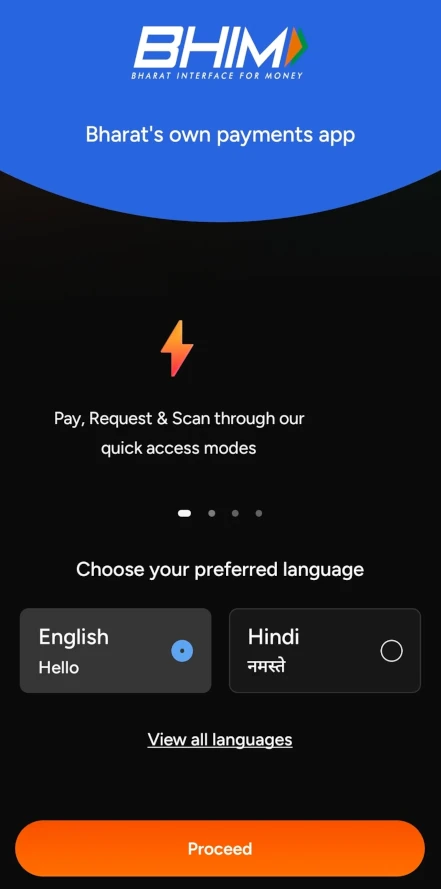
Choose your preferred language.
Step 6
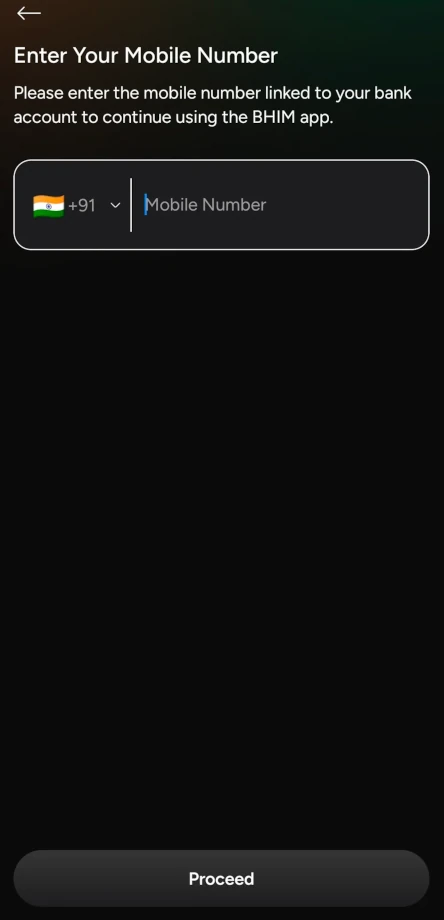
Verify your mobile number using the bank-linked SIM.
Step 7
Link your bank account.
Step 8
Create your UPI PIN.
Step 9
Find the referral code section and manually enter the referral code.
Step 10
Complete your first eligible UPI transaction if required.
This process gives the best chance for referral rewards to work correctly.
How Long Does the BHIM Referral Reward Take?
Reward timelines can vary.
Usually rewards may appear.
- instantly
- within a few hours
- within several days
depending on:
- campaign terms
- successful verification
- transaction completion
- server processing
If rewards remain pending for long:
- check app notifications
- review referral terms
- contact BHIM support if necessary
Can Existing Users Use BHIM Referral Codes?
Usually no.
Most referral programs are designed for:
- new registrations
- first-time users only
Existing users may not receive referral rewards even if a code is entered successfully.
Does BHIM Referral Require KYC?
Normally:
- SIM verification
- bank account linking
- UPI setup
are enough for basic referral eligibility.
However, some banking or transaction features may require additional verification depending on your bank and current regulations.
Common Mistakes to Avoid
Avoid these mistakes during signup:
- Installing app directly without referral flow
- Forgetting referral code entry
- Using already registered number
- Skipping bank linking
- Not completing first transaction
- Ignoring campaign conditions
- Using expired referral codes
Final Thoughts
BHIM referral issues usually happen because one onboarding step gets skipped accidentally. The most important thing to remember is the following:
BHIM referral benefits often require manual referral code entry during signup.
Simply opening the app from a referral link may not always be enough.
By carefully completing:
- SIM verification
- bank linking
- referral code entry
- first eligible transaction
You improve the chances of receiving referral rewards successfully.
Frequently Asked Questions
Why is my BHIM referral code showing invalid?
The code may be expired, entered incorrectly, or no longer active for current referral campaigns.
Do I need to manually enter the BHIM referral code?
Yes. In many cases BHIM referral rewards require manual code entry during signup.
Can I add a referral code after signup?
Usually referral codes must be entered before completing registration.
Does BHIM referral work for old users?
Generally referral rewards are intended for new users only.
Is the first transaction necessary for the BHIM referral reward?
Some campaigns may require at least one successful UPI transaction before rewards are credited.
Can referral rewards take time to appear?
Yes. Rewards may sometimes take several hours or days depending on verification and campaign conditions.
Community Comments
Comments (0)
Add Comment
800 characters left
Loading comments...
Related
More Refpo reads

Top Invite-Only Credit Cards in India (2026): Benefits, Fees & How to Get Invited
Discover the top invite-only credit cards in India for 2026, featuring premium options like HDFC Infinia and ICICI Emeralde Private Metal. Explore their exclusive benefits, fees, rewards, eligibility criteria, and practical tips to improve your chances of receiving an invitation.
Best Zero-Balance Digital Savings Accounts for Students in India (2026)
Looking for a zero-balance savings account as a student in India? Explore the best digital savings accounts for 2026, comparing minimum balance requirements, banking features, eligibility, fees, and investment options to find the right account for your needs.
Best Zero Balance Savings Accounts in Top Private Banks in India (2026)
Looking for the best zero-balance savings account in India? Compare Kotak 811, IDFC FIRST Quantum+, Axis AMAZE, AU Small Finance Bank, ICICI Bank, and HDFC Bank based on features, charges, and benefits.
People Also Looking For
Amazon Pay Referral Reward Not Credited? Fixes Explained (2026 Guide) / Step-by-Step Upstox Account Opening With Referral Code (2026 Guide) / How to Earn Small Side Income Using Referral Apps / Best Zero-Balance Digital Savings Accounts for Students in India (2026) / Best Referral Apps for College Students in India (2026) / Best Cashback Apps for Credit Card Users in India 2026 / Best Credit Card Offers for Diwali Shopping 2026: Amazon, Flipkart & More / How to Become a Self-Taught Millionaire Legitimately — Using Just Your PC and the Internet
More Ways to Earn Money Online
Best Zero Balance Savings Accounts in Top Private Banks in India (2026) / Top Invite-Only Credit Cards in India (2026): Benefits, Fees & How to Get Invited / Best FD Backed Credit Cards Without Income Proof in India (2026) / Bhim Refer and Earn / airbnb Refer and Earn / IDFC FIRST Bank Refer and Earn / Google pay Refer and Earn / Win money Refer and Earn