Refpo Article
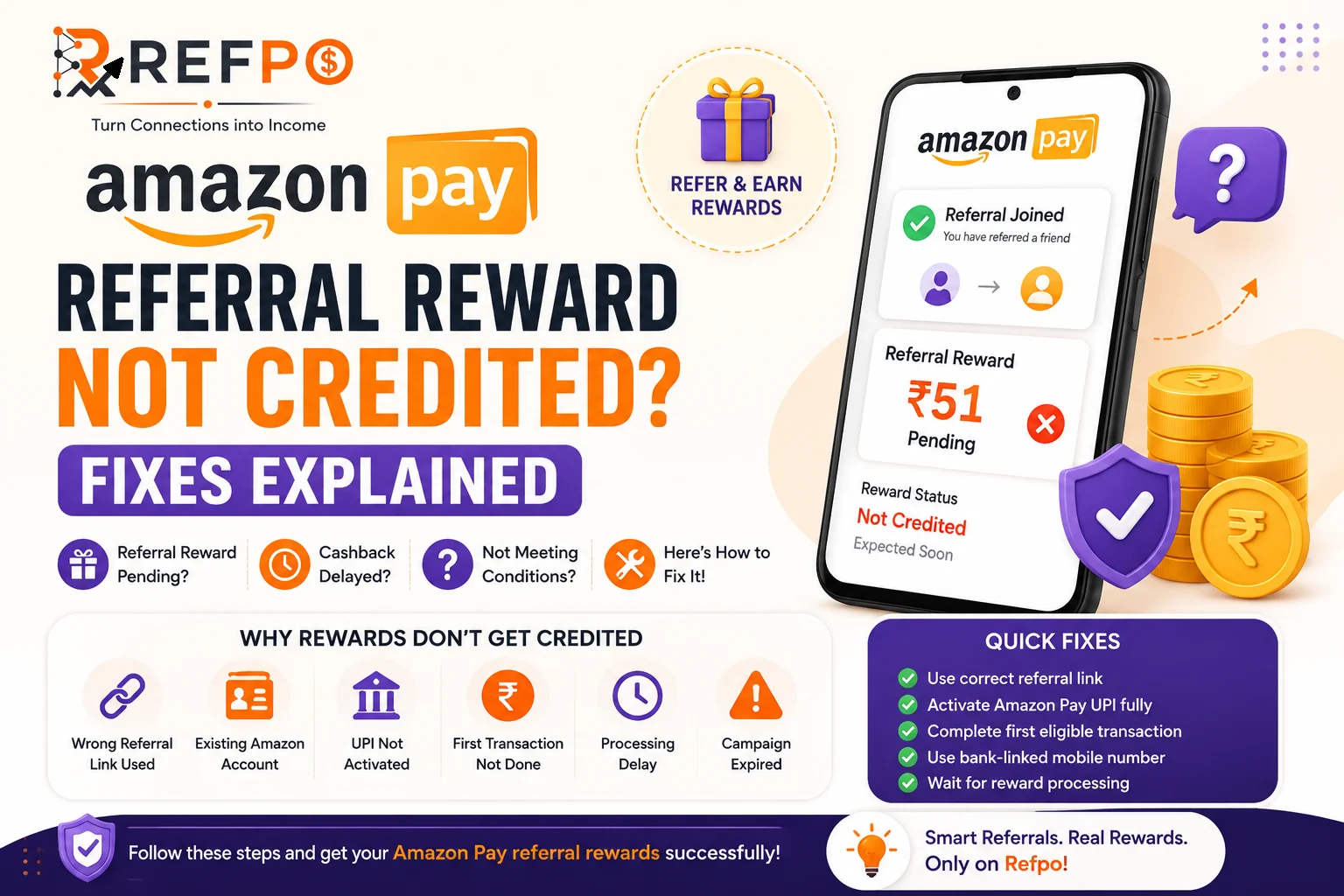
Amazon Pay Referral Reward Not Credited? Fixes Explained (2026 Guide)
Amazon Pay Referral Reward Not Credited? Fixes Explained (2026 Guide)
Amazon Pay UPI has become one of India's most popular digital payment systems for:
- UPI transfers
- cashback offers
- mobile recharge
- bill payments
- online shopping
Many users also join Amazon Pay through referral links or referral codes expecting cashback or signup rewards. However, one of the most common problems people face is:
“Why is my Amazon Pay referral reward not credited?”
If your Amazon Pay referral cashback is pending, delayed, missing, or not showing at all, don’t worry. In most cases, referral rewards fail because one important onboarding condition was missed during signup or UPI activation.
This detailed guide explains:
- why Amazon Pay referral rewards fail
- common mistakes
- exact fixes
- eligibility conditions
- how to correctly use referral links
- how long rewards usually take
What Is Amazon Pay Referral Program?
Amazon Pay referral programs allow existing users to invite new users using:
- referral links
- invite links
- referral campaigns
When the new user:
- signs up correctly
- activates Amazon Pay UPI
- completes required actions
then referral rewards or cashback may be credited according to active campaign conditions.
However:
- referral offers change frequently
- reward conditions vary
- not every signup automatically qualifies
Most Common Reasons Why Amazon Pay Referral Reward Is Not Credited
1. Amazon Pay UPI Was Not Activated Properly
This is one of the biggest reasons rewards fail.
Many users:
- create Amazon account
- open Amazon app
…but never complete:
- Amazon Pay UPI setup
- bank linking
- UPI activation
Without full UPI activation, referral conditions may remain incomplete.
Fix
Make sure you:
- Open Amazon app
- Go to Amazon Pay
- Select Amazon Pay UPI
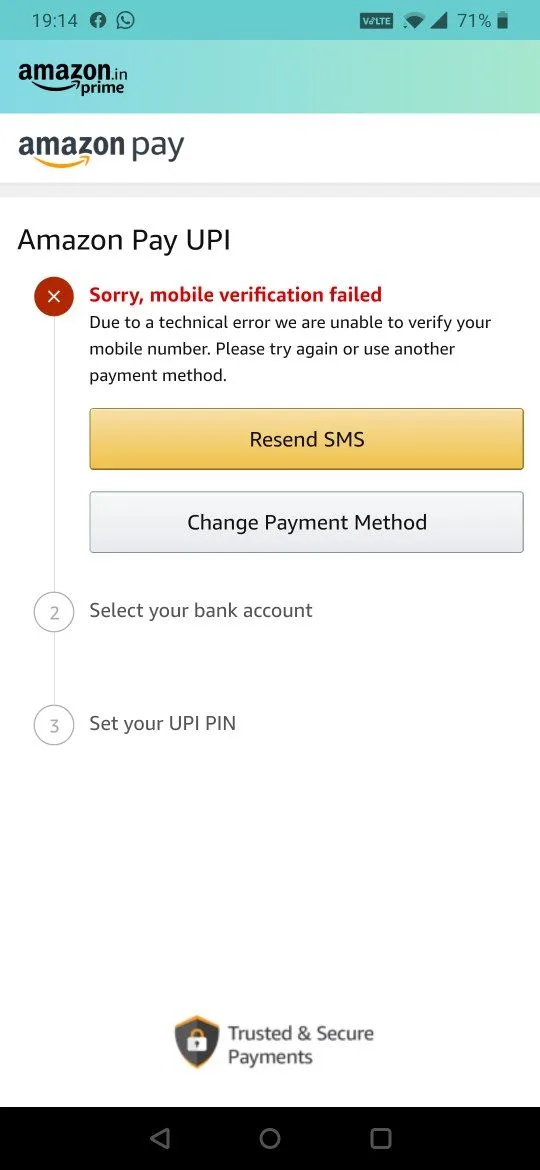
4) Link your bank account
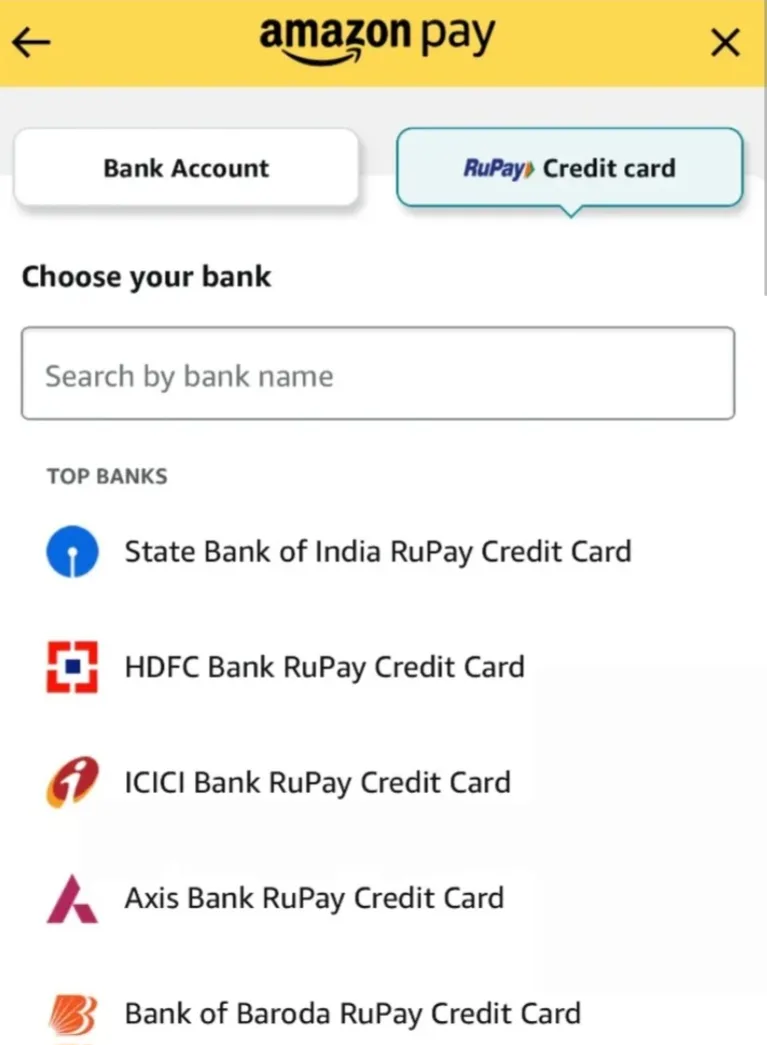
5) Verify mobile number
6) Create UPI PIN successfully
2. Referral Link Was Not Opened Properly
Many users:
- install app directly from Play Store
- open Amazon separately
- skip referral flow
This may break referral tracking.
Correct Method
- Open referral link
- Click Visit button
- Let Amazon app or Play Store open
- Complete signup through same flow
- Activate Amazon Pay UPI properly
3. Existing Amazon Account Was Already Used
Most referral rewards are designed only for:
- new users
- first-time Amazon Pay UPI users
If:
- your number was already linked
- Amazon account existed earlier
- Amazon Pay was previously activated
then rewards may not apply.
4. First UPI Transaction Was Not Completed
Some Amazon Pay referral campaigns require:
- first successful UPI payment
- merchant payment
- recharge
- bill payment
before cashback is credited.
Without completing eligible transaction, rewards may stay pending.
Fix
Try completing:
- small UPI transfer
- recharge
- merchant payment
using Amazon Pay UPI.
5. Mobile Number Verification Failed
Amazon Pay UPI requires:
- SIM verification
- bank-linked mobile number
Common problems:
- wrong SIM selected
- SMS permission denied
- dual SIM confusion
- insufficient SMS balance
Fix
- Insert bank-linked SIM
- Enable SMS permission
- Ensure outgoing SMS works
- Select correct SIM during verification
6. Reward Campaign Expired
Amazon Pay referral campaigns change frequently.
Sometimes:
- offers expire
- cashback gets reduced
- campaigns pause temporarily
Even if signup succeeds, expired campaigns may not provide rewards.
Always verify latest terms inside Amazon app.
7. Reward Processing Delay
Sometimes rewards are not instant.
Depending on campaign conditions, cashback may take:
- few hours
- several days
- longer verification time
especially during:
- heavy traffic
- campaign periods
- verification backlog
8. Incomplete KYC or Verification
Certain features may require:
- PAN verification
- bank verification
- identity checks
before full eligibility applies.
How to Correctly Use Amazon Pay Referral Link
Follow these steps carefully for best reward eligibility.
Step 1 — Open Referral Link
Open the Amazon Pay referral link from trusted source.
Step 2 — Click Visit Button
Allow:
- Amazon app
- or Play Store
to open through referral flow.
Step 3 — Install or Open Amazon App
If app is already installed:
- open directly from referral flow
If not installed:
- install first
- then reopen through referral link if possible
Step 4 — Create Amazon Account
Signup using:
- mobile number
- or email
Complete account setup properly.
Step 5 — Open Amazon Pay Section
Inside Amazon app:
- go to Amazon Pay
Step 6 — Activate Amazon Pay UPI
Now:
- link bank account
- verify mobile number
- create UPI PIN
Step 7 — Complete First Eligible Transaction
If required by current campaign:
- complete small UPI payment
- or recharge
This step is often necessary for cashback eligibility.
How Long Does Amazon Pay Referral Reward Take?
Reward timing varies depending on:
- campaign rules
- transaction verification
- account activation
- payment completion
Sometimes rewards appear:
- instantly
- within hours
- within several days
Always check:
- reward section
- notifications
- cashback history
inside Amazon app.
Common Mistakes Users Make
Avoid these mistakes:
- Opening app outside referral flow
- Skipping UPI activation
- Using old Amazon account
- Missing first transaction
- Wrong SIM verification
- Ignoring reward conditions
- Incomplete bank linking
These are the most common causes of referral failure.
Does Amazon Pay Referral Require KYC?
Usually:
- mobile verification
- bank linking
- UPI setup
are enough for basic activation.
However, some financial features may require additional verification depending on regulations and bank requirements.
Can Existing Users Use Amazon Pay Referral?
Usually:
- no
Most referral campaigns are meant for:
- new users
- first-time Amazon Pay UPI activation
Existing users may not qualify for rewards.
Is Amazon Pay UPI Safe?
Amazon Pay is widely used in India and supports:
- secure UPI transactions
- bank-linked payments
- merchant payments
However users should always:
- protect OTPs
- avoid fake links
- use official Amazon app only
Important Tips to Improve Reward Success
Always Use Referral Flow Properly
Referral tracking works best when:
- app is opened through referral link
- signup continues in same session
Complete UPI Activation Fully
Partial setup often causes reward failure.
Always:
- link bank
- create UPI PIN
- verify mobile number
Read Current Campaign Conditions
Referral terms may change frequently.
Some offers require:
- minimum payment
- first transaction
- merchant payment
- recharge
before cashback is credited.
Use Correct Mobile Number
Use:
- bank-linked number
- active SIM
- verified number
for best onboarding success.
Final Thoughts
Amazon Pay referral rewards usually fail because one onboarding condition was skipped accidentally.
The most important things are:
- proper referral flow
- successful Amazon Pay UPI activation
- first eligible transaction
- correct SIM verification
By carefully following all onboarding steps, users improve the chances of receiving referral cashback successfully.
Amazon Pay remains one of the easiest and most widely used UPI payment systems in India, especially for:
- students
- beginners
- cashback users
- online shoppers
when used correctly.
Frequently Asked Questions
Why is my Amazon Pay referral reward pending?
Common reasons include:
- incomplete UPI activation
- missing first transaction
- referral tracking failure
- verification delay
Does Amazon Pay require first transaction for cashback?
Some campaigns may require at least one successful UPI transaction before rewards are credited.
Can existing users get Amazon Pay referral reward?
Usually referral rewards apply only for new Amazon Pay UPI users.
How long does Amazon Pay cashback take?
Rewards may appear instantly or take several days depending on campaign conditions.
Is bank linking necessary for Amazon Pay referral?
Yes. Amazon Pay UPI activation usually requires successful bank account linking.
Why is Amazon Pay referral not tracking?
Possible reasons:
- app opened outside referral flow
- old account usage
- incomplete signup
- expired campaign
Community Comments
Comments (0)
Add Comment
800 characters left
Loading comments...
Previous Post
Best FD Backed Credit Cards Without Income Proof in India (2026)
Next Post
Step-by-Step Upstox Account Opening With Referral Code (2026 Guide)
Related
More Refpo reads

Top Invite-Only Credit Cards in India (2026): Benefits, Fees & How to Get Invited
Discover the top invite-only credit cards in India for 2026, featuring premium options like HDFC Infinia and ICICI Emeralde Private Metal. Explore their exclusive benefits, fees, rewards, eligibility criteria, and practical tips to improve your chances of receiving an invitation.
Best Zero-Balance Digital Savings Accounts for Students in India (2026)
Looking for a zero-balance savings account as a student in India? Explore the best digital savings accounts for 2026, comparing minimum balance requirements, banking features, eligibility, fees, and investment options to find the right account for your needs.
Best Zero Balance Savings Accounts in Top Private Banks in India (2026)
Looking for the best zero-balance savings account in India? Compare Kotak 811, IDFC FIRST Quantum+, Axis AMAZE, AU Small Finance Bank, ICICI Bank, and HDFC Bank based on features, charges, and benefits.
People Also Looking For
Amazon Pay Referral Reward Not Credited? Fixes Explained (2026 Guide) / BHIM Referral Code Not Working? Fixes Explained / Step-by-Step Upstox Account Opening With Referral Code (2026 Guide) / How to Earn Small Side Income Using Referral Apps / Best Referral Apps for College Students in India (2026) / Best Zero-Balance Digital Savings Accounts for Students in India (2026) / Best Cashback Apps for Credit Card Users in India 2026 / Best Zero Balance Savings Accounts in Top Private Banks in India (2026)
More Ways to Earn Money Online
Best Credit Card Offers for Diwali Shopping 2026: Amazon, Flipkart & More / How to Become a Self-Taught Millionaire Legitimately — Using Just Your PC and the Internet / Top Invite-Only Credit Cards in India (2026): Benefits, Fees & How to Get Invited / Best FD Backed Credit Cards Without Income Proof in India (2026) / Airtel Payments Bank Refer and Earn / airbnb Refer and Earn / Win money Refer and Earn / Bhim Refer and Earn